How a Data Flow Can Help Your Business
Discover how a data flow can connect systems, reduce manual tasks, and help you make better decisions in your company.
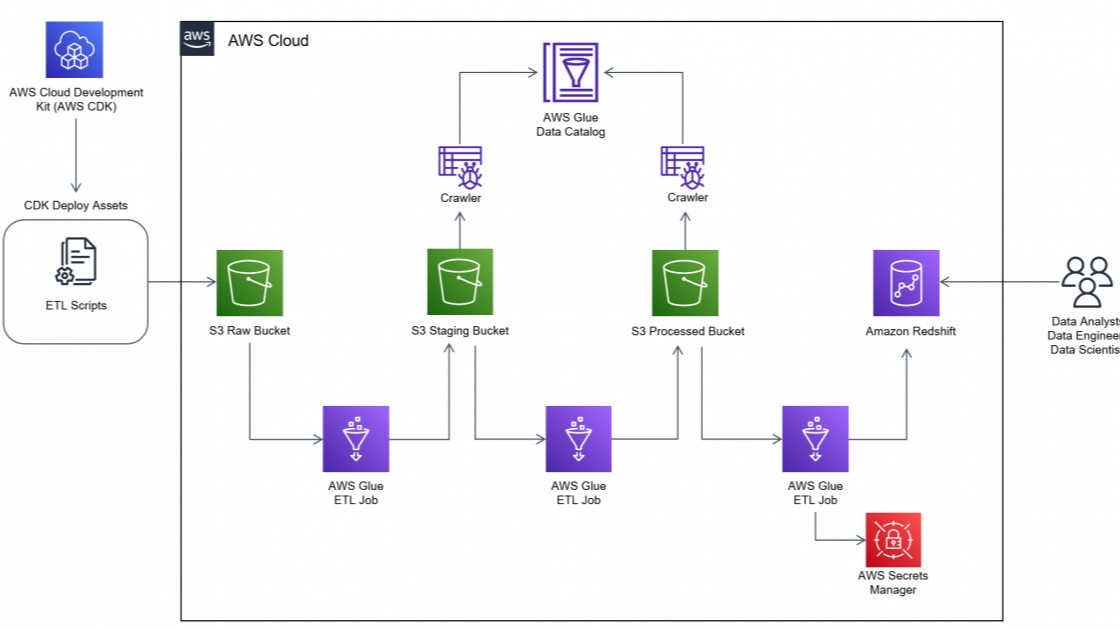
A data flow is the journey information takes from the moment it's generated until it reaches the place where it can be used to make a decision or trigger an action. In a company, this can mean a sale recorded in a store automatically updating inventory, creating a record in the admin system, and showing up in a sales report. The concept may sound technical, but the benefit is quite simple: stopping people from having to copy, paste, and move information between different tools. A company still relying on manual capture may be spending hours of work on tasks a well-designed data flow can run automatically.
What is a data flow and why should you care?
A data flow is the journey information takes from the moment it's generated until it reaches the place where it can be used to make a decision or trigger an action. In a company, this can mean a sale recorded in a store automatically updating inventory, creating a record in the admin system, and showing up in a sales report. The concept may sound technical, but the benefit is quite simple: stopping people from having to copy, paste, and move information between different tools.
A simple example: from a sale to a report
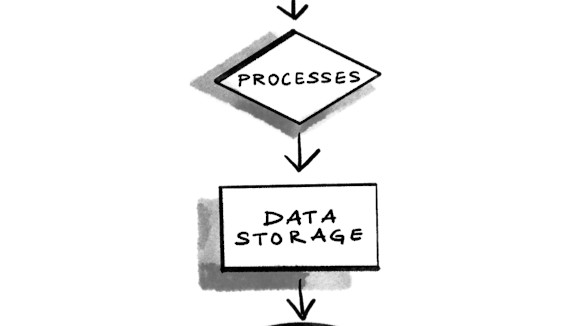
Imagine a Mexican company receiving 100 orders a day. One employee records each order on a platform, then someone else copies the data to Excel to update inventory, and at the end of the day yet another person prepares a report for management. If each order needs just 2 extra minutes of manual work, that's over 3 hours a day spent solely on moving information. A data flow can connect these processes. When an order comes in, the system can record the sale, automatically deduct the available product, update a database, and send the information to the metrics dashboard. The result isn't just saving clicks: it's having information available faster and with fewer chances of error.
- Sales: automatically record every transaction.
- Inventory: update stock after every sale.
- Admin: send the needed information to the right system.
- Reports: update indicators without waiting for end of day.
- Alerts: notify when a product, order, or metric needs attention.
The value of data isn't just in storing it, but in getting it to the right place at the right time.
Where can it be used inside a company?
Data flows can be applied practically anywhere repetitive information exists. In sales they can connect forms, CRM, and admin systems. In operations they can sync orders, inventory, and deliveries. In HR they can organize employee, schedule, or incident information. In marketing they can pull data from different channels together to learn which campaigns perform best. Even an SMB can benefit without huge tech infrastructure. For example, a web form can send a prospect's data to a database, automatically create a sales record, and notify the sales owner. What matters is spotting where information is being moved manually and asking whether that movement really needs a human.

Less manual capture means fewer errors
One of the most common problems in companies isn't a lack of information, but the same information ending up captured several times. A customer may give their phone number on a form, then an employee copies it to Excel, and later someone registers it again in a CRM. Each step is a chance to enter wrong data. Suppose a company processes 500 records a month and each record is manually captured in three systems. That's up to 1,500 captures. An integrated flow can greatly reduce that duplication by using one source of information and distributing the data to the systems that need it. Automation doesn't remove the need for oversight, but it can cut repetitive tasks and unnecessary capture points.
Tip: before automating, spend a week documenting what information gets captured, who captures it, which system it ends up in, and how long it takes. That map usually reveals quickly which processes are most worth automating.
Data can also help you make decisions
A good data flow doesn't just move information: it can turn it into useful input for decisions. A company can combine sales, inventory, and customer behavior to spot which products are most in demand, which sit stored too long, or in which periods sales rise. If that data refreshes daily, management can react early instead of waiting for month-end close. For example, if a product normally sells 20 units a week and suddenly hits 45, the system can raise an alert to check stock. The goal isn't filling the company with charts, but having the important indicators available while there's still time to act.
Do you need a huge platform to do it?
Not necessarily. A data flow can be built with tools a company already uses or with solutions developed specifically for its processes. Depending on the case, it may involve databases, APIs, internal apps, automation tools, cloud services, or analytics systems. An SMB can start with one very concrete process, like connecting a sales form to its database and tracking system. Later it can add inventory, billing, reports, or notifications. This strategy is usually more practical than trying to digitalize the entire operation at once. The goal should be solving first the processes that consume the most time, generate the most errors, or have the biggest economic impact.
The real challenge is designing the right flow
Automating a badly designed process doesn't automatically make it a good process. If a company has duplicated data, systems that don't talk to each other, or unclear rules, it first needs to put its information circulation in order. That's why, before building a solution, it's worth answering concrete questions: where does the data come from? Who generates it? Where should it be stored? Who needs it? How often should it update? What happens if the data is wrong? It's also important to define permissions, backups, and controls to protect sensitive information. A well-designed flow must be traceable — letting you know what happened to the data and quickly detect where a problem started.
From scattered information to a connected operation
Many companies start out using Excel, forms, email, admin systems, and standalone apps because each tool solves a specific need. The problem appears when those tools start growing and information ends up spread across them. A data flow connects those pieces so the operation keeps continuity. For a Mexican company, this can mean less admin work, faster responses, and better visibility into what's happening in the business. The best solution isn't always replacing every existing system. In many cases, correctly connecting the ones that already work can deliver a much faster, more profitable result.
A good first question isn't 'what technology should we buy?' but 'what information are we capturing or moving manually every day?' That's usually where the automation opportunity sits.
- #flujo de datos
- #automatización
- #datos
- #empresas
- #digitalización
- #BI

Written by Andrés GarcíaJosé Saldaña
Kyloo team — we ship Data in 4–10 weeks. Fixed price after a 48h discovery.
View Data